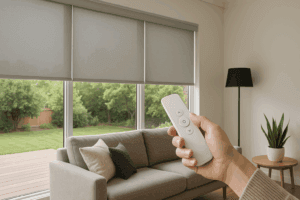
Let’s be honest, there is something undeniably cool about tapping a button on your phone and watching your entire living room transform as the shades glide down in perfect unison. It feels like living in the future, doesn’t it? But just like that fancy car in the driveway or the espresso machine on the counter, your motorized window treatments need a little bit of TLC to keep performing at their best.
The “Utah Factor” in Shade Maintenance
Here’s the thing about living along the Wasatch Front: we deal with a unique set of elements that you just don’t find in other parts of the country. Between the dry air, the occasional inversion that traps particulate matter, and the intense high-altitude sun, your Home’s interior takes a beating.
And your shades? They are literally the frontline defense against all that.
When we talk about Power Shades maintenance, we aren’t just talking about dusting a few slats. We are talking about preserving the motor, ensuring the fabric doesn’t degrade from UV exposure, and making sure the connectivity stays strong. Salt Lake City has a lot of dust—it’s just a reality of the high desert. That dust loves to settle in the mechanisms of automated shades. If you let it sit there for years, it can eventually gum up the works or make the motor work harder than it needs to, shortening its lifespan.
You know what? It’s actually simpler than it sounds. You don’t need to be a certified electrician or a professional cleaner to handle 90% of this stuff. You just need a routine.
Dusting: The First Line of Defense
Okay, let’s start with the basics. The fabric. Whether you have cellular shades, roller shades, or sheer shadings, dust is the enemy. It dulls the color and, over time, can actually weaken the fibers if it’s gritty enough.
For most homeowners in Utah, a simple dusting once a month is plenty. But here is where people get it wrong—they try to wipe it down with a cloth. Don’t do that. When you wipe a fabric shade, you risk pushing the dust into the weave rather than taking it off. It can also cause streaking.
Instead, grab your vacuum.
Most vacuums come with that little brush attachment that sits in the closet gathering dust itself. Now is the time to use it. Put your vacuum on the lowest suction setting. This is crucial. If the suction is too high, you might wrinkle the fabric or pull it off the track. Gently run the brush over the shade, moving from top to bottom.
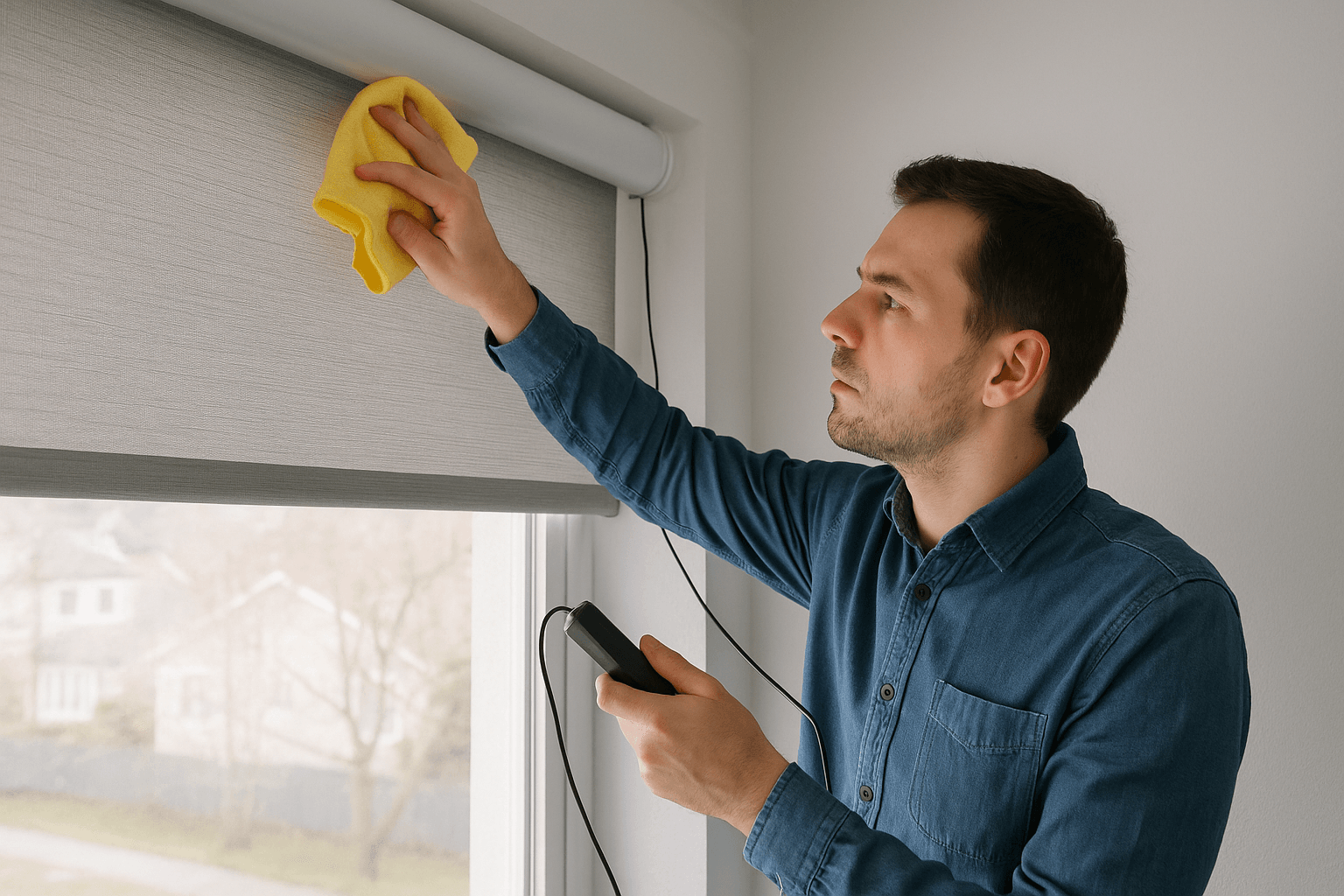
- For Roller Shades: You can usually wipe these with a microfiber cloth since the material is often flatter and more durable.
- For Honeycomb/Cellular Shades: These are tricky because bugs and dust love to get inside the little cells. Use a can of compressed air—like you use for a computer keyboard—to blow out the debris from the inside.
It’s satisfying, honestly. Seeing that little puff of dust fly out ensures your insulating shades are actually insulating, not just storing dirt.
Let’s Talk About Power
The “Power” in PowerShades obviously comes from somewhere. Depending on how your system was installed, you’re likely dealing with one of three power sources: battery wands, rechargeable internal motors, or hardwired systems.
If you are hardwired (usually via low-voltage cabling or Power over Ethernet), congratulations! You can pretty much skip this section. Your power is constant, and unless you have a breaker trip, you’re golden.
For the rest of us, battery management is key.
The Rechargeable Motor
If you have internal rechargeable batteries, they typically need a charge once or twice a year, depending on how often you move them. The mistake people make here is waiting until the shade is completely dead. If the motor struggles, sounds sluggish, or moves slower than usual, plug it in.
Pro Tip: Don’t leave the charger plugged in 24/7. It’s not good for the battery chemistry. Charge it until the light turns green (or whatever your specific model indicates), and then unplug it. Overcharging can reduce the battery’s overall lifespan.
Battery Wands
These are the tubes often hidden behind the headrail filled with AA batteries (usually Lithium). When these die, swap them all out. Don’t mix old and new batteries. I know, it feels wasteful, but mixing voltages can cause the motor to perform erratically or drain the new batteries instantly.
And please, use Lithium batteries. Alkaline batteries can leak, especially with the temperature fluctuations we get here in Salt Lake City—hot summers and freezing winters near the window glass. If a battery leaks acid into your motor connection, that is a much more expensive repair than just buying a new pack of Energizers.
The Motor: Listen to What It’s Telling You
Your shade’s motor is a workhorse, but it talks to you if you listen. A healthy motor emits a steady, low hum. It shouldn’t grind, squeal, or click loudly.
If you hear a grinding noise, stop the shade immediately.
Grinding usually means something is physically obstructing the path, or a gear is slipping. Continuing to run it can strip the internal gears. Check the side channels (if you have them) or the roller tube. Is the fabric telescoping?
Telescoping is when the fabric rolls up crooked, piling up on one side of the roller. This happens if the window isn’t perfectly square or if the shade was jarred. If you catch it early, you can often fix it by unrolling the shade all the way and putting a tiny piece of tape on the roller tube on the side opposite to where it’s telescoping. It acts as a shim.
But honestly? If the motor sounds sick, it’s usually better to call for support rather than trying to take the motor apart. These are sealed units. Breaking the seal usually voids the warranty.
Connectivity and Smart Home Integration
Here is where things get a little invisible. Your shades might be mechanically perfect, but if they aren’t talking to your smart hub or phone, they’re just expensive pieces of fabric blocking your view.
We see this a lot. A client calls saying the shade is “broken,” but really, they just got a new Wi-Fi router.
If you change your Wi-Fi password or get a new router, your shades (or the bridge they connect to) will drop offline. You’ll need to re-pair them. It’s not the shade’s fault; it’s just looking for a signal that isn’t there anymore.
The Zigbee/RF Dance:
Most professional shades use radio frequency (RF) or Zigbee protocols because they are more reliable than standard Wi-Fi and use less power. They rely on a “hub” or “bridge” plugged into your router.
- Keep the hub central: If your hub is in the basement and your shades are on the third floor, you might have signal issues.
- Interference: Baby monitors, microwaves, and older cordless phones can sometimes interfere with the signal. If your shades work intermittently, check what electronic devices are nearby.
Spot Cleaning: The “Less is More” Approach
Spills happen. Maybe you were watering a hanging plant and muddy water splashed onto your beautiful light-filtering roller shade. Panic sets in.
Your instinct is to grab a bottle of spray cleaner and scrub. Stop!
Most shade Fabrics are treated with dust repellents or stiffeners to help them hang straight. Harsh chemicals can break these down, leaving a permanent water stain or a floppy spot on the fabric.
Here is the safe way to spot clean:
- Blot, don’t rub. Use a clean, white cloth. Rubbing can pill the fabric.
- Use warm water first. Often, water is enough.
- Mild soap if needed. Think Woolite or a very diluted dish soap (clear, not blue or orange).
- Let it air dry. Leave the shade lowered until it is completely dry. If you roll it up wet, you are inviting mildew, which is a nightmare to remove.
If the stain is stubborn—like red wine or marker—you might be better off calling a professional ultrasonic cleaner rather than risking the fabric with bleach or heavy solvents.
Seasonal Adjustments for SLC Residents
Living in Utah means we have to play offense against the sun.
In the summer, the sun on the west side of the house is brutal. It’s hot enough to warp plastics if they aren’t UV rated (PowerShades equipment is, but still). To extend the life of your fabrics and motors, consider programming your shades to lower automatically during the hottest part of the day. This isn’t just for energy efficiency—though your AC bill will thank you—it protects the components from baking in direct heat for hours.
In the winter, the cold coming off the glass can drain battery wands faster. If you notice your batteries dying quicker in January than in June, that’s normal chemistry. Batteries hate the cold. If possible, ensure the battery wand is tucked up in the headrail or valance where it has a bit of insulation from the freezing window pane.
Troubleshooting Cheat Sheet
Sometimes you just need a quick fix. Here is a breakdown of common issues we see in the field and what you can do about them.
| Issue | Likely Culprit | Try This First |
|---|---|---|
| Shade won’t move at all | Dead batteries or no power | Check the breaker or swap batteries. If it’s a remote, check the remote’s battery too. |
| Shade moves halfway and stops | “Limits” have been lost | The motor forgot its “open” and “closed” points. Refer to the manual to reset limits. |
| Shade moves but is noisy | Debris in the track or bracket | Inspect the mounting brackets. Is something rubbing against the roller? |
| Remote works, App doesn’t | Network / Hub issue | Reboot your internet router and the shade bridge/hub. |
| Shade is responding slowly | Weak signal or low battery | If battery is fine, move the hub closer to the shade to test signal strength. |
When to Call the Pros
I’m all for DIY. It feels good to fix things yourself. But there is a line.
If you have skylight shades or shades on second-story foyer windows that require a 20-foot ladder, please, just call us. The risk of falling or dropping the shade isn’t worth saving a service call fee.
Also, if the motor has completely seized or if the fabric has ripped from the roller bar, these are repairs that require specific tools and parts. Trying to glue fabric back onto a roller usually results in a lopsided shade that never rolls up straight again.
We also suggest a professional check-up every few years for larger systems. We can update the firmware (yes, shades have firmware updates now), check the limits, and ensure the motors are drawing the correct amperage. It’s like an oil change for your windows.
The “Set It and Forget It” Myth
We love to sell automated shades as “set it and forget it.” And mostly, that’s true. You set the schedule, and they do the work. But “forget it” doesn’t mean “ignore it.”
By keeping the tracks clean, the dust off the fabric, and the power sources healthy, you are protecting a significant investment in your home. These aren’t just $20 vinyl blinds from the hardware store. They are sophisticated pieces of Technology that add value, comfort, and security to your home.
A well-maintained PowerShades system can last for many, many years. We have seen motors running strong after a decade because the owners took the time to keep the dust out and the power consistent.
Plus, there is nothing worse than having guests over, hitting the “Movie Night” button, and having three shades go down while the fourth one stays stuck halfway because of a dead battery. That kills the vibe pretty fast.
Keeping Your View Perfect
At the end of the day, your windows are your connection to the outdoors. In Salt Lake City, those views are often spectacular—mountains, valleys, city lights. Your shades frame that view. Keeping them in top shape ensures you control the view, rather than the view controlling you.
Maintenance doesn’t have to be a chore. It’s just part of owning a smart home. A little attention goes a long way.
If you are feeling overwhelmed by a system that isn’t acting right, or if you are looking to install new shades that are built to handle our Utah climate, we are here to help. You don’t have to guess what’s wrong with that squeaky motor.
Give us a call at 801-518-5242 to troubleshoot or discuss upgrading your home. You can also Request A Free Quote online, and we’ll come out to assess your windows and help you find the perfect, long-lasting solution for your space.